Tick-Tock Clock

A beautiful flip-clock desktop app — a daily companion that brings time, goals, music and learning together in a single page.

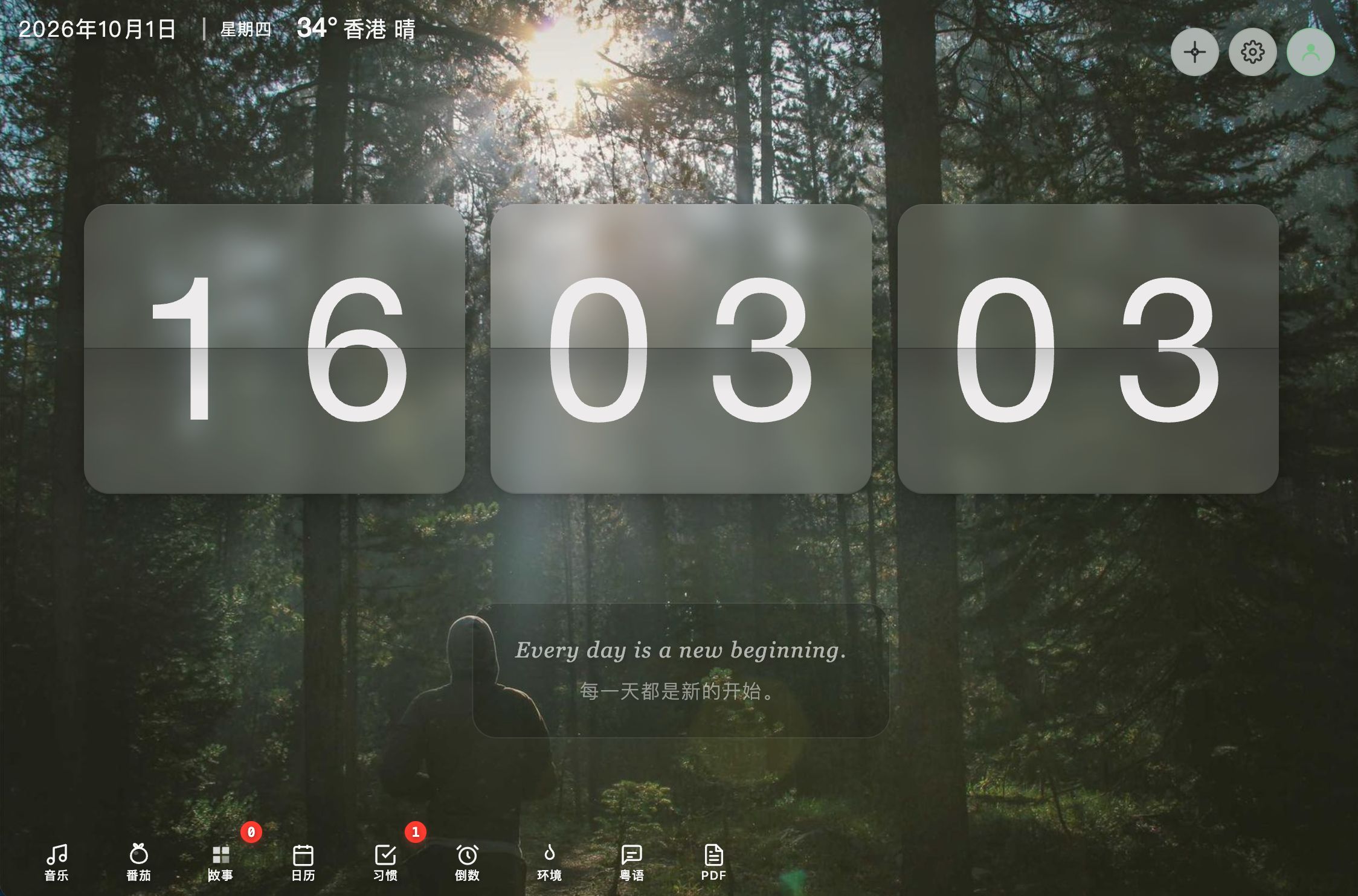
Tick-Tock Clock flip clock interface

Overview

Tick-Tock Clock settings and widgets

Tick-Tock Clock is a feature-rich flip-clock web app that started as a simple request from my younger sister: she wanted a beautiful desktop clock of her own. What began as a minimal time display quickly grew into a daily companion that combines time, productivity, music and learning — all running in a single page.

The app shows an animated flip clock with the live date, motivational quotes in both Chinese and English, and a fully customizable background. Around that core, it layers a growing suite of tools: daily goal setting, pomodoro focus sessions, an achievement system, music playback, typing practice, a Cantonese pronunciation helper, and even a PDF reader.

Background — A Gift for My Sister

Tick-Tock Clock desktop display

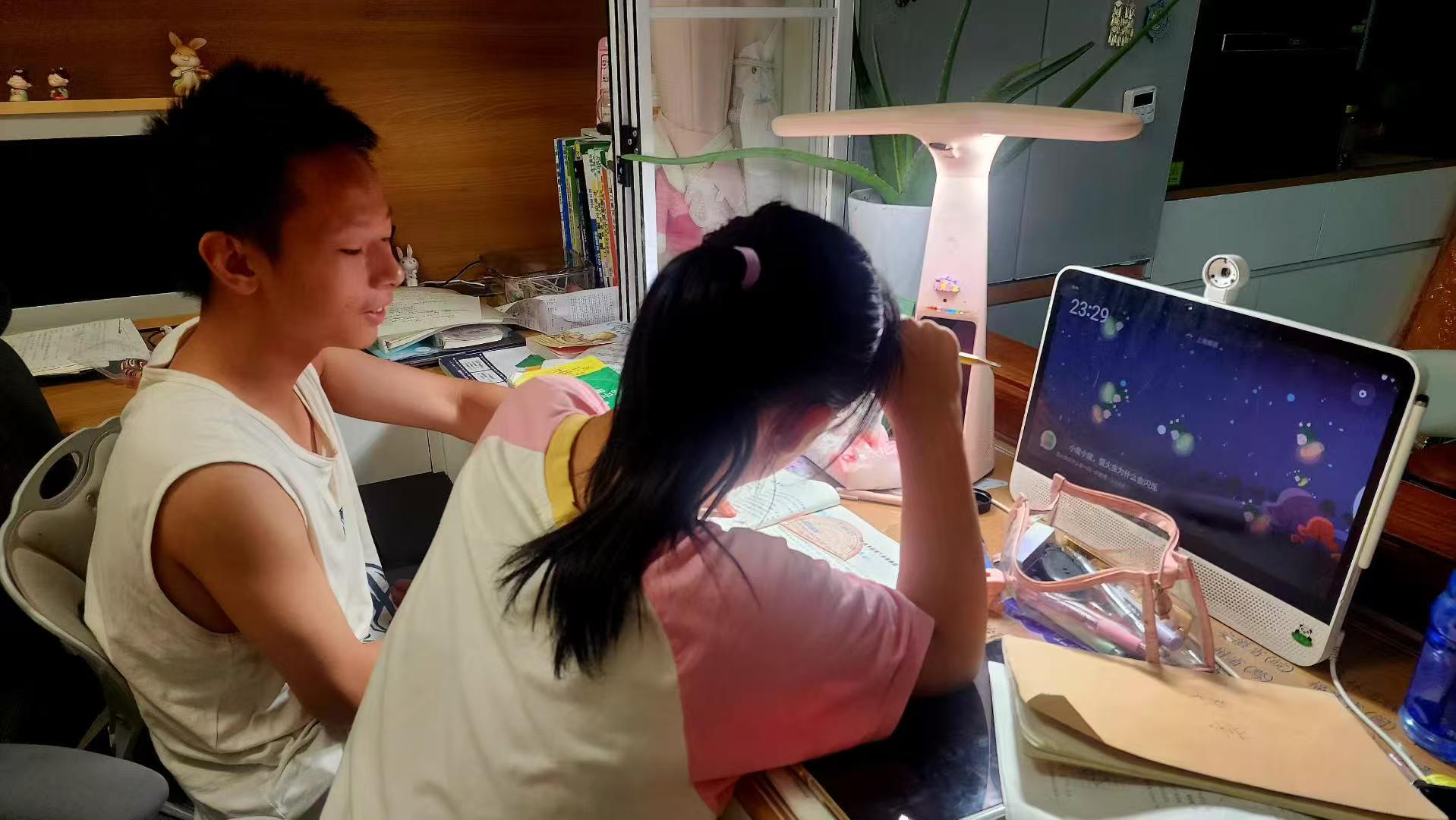
The project was born from a personal request. My sister wanted a desktop clock with more personality than the default one — something that looked great on screen and could actually be useful during study time. We browsed paid desktop app options together, but none fit exactly what she imagined.

So I built it. The first version was drafted quickly with AI assistance, then refined feature by feature based on her feedback. The clock had to look good on her machine — and it had to help her study.

🎁

Personal Request

A desktop clock prompted by my sister, designed around what she actually wanted from a study companion.

💡

Paid App Reference

Studied existing paid desktop clock and productivity apps to pick the features that mattered most, without the license cost.

🤖

AI-Assisted Start

The initial working version was generated with AI support, turning a loose idea into a usable app in one evening.

Clock Features

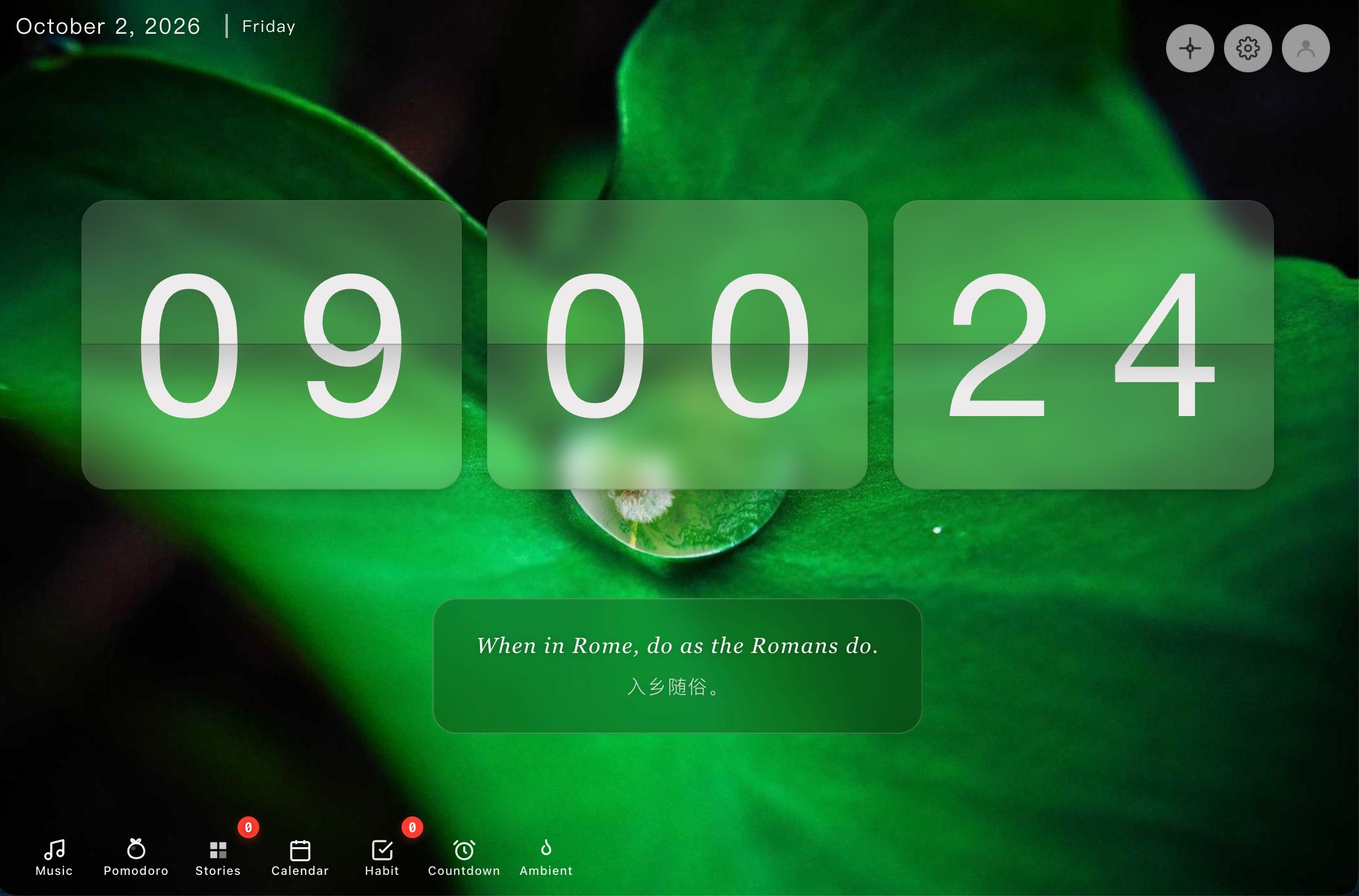
The heart of the app is a modern flip-clock that displays time in hours, minutes and seconds with real flip-card animations. The current date and day of week are shown live, and the page randomly rotates motivational quotes in Chinese and English to keep the mood up.

🕐

Flip-Clock Animation

A modern flip-card effect displays HH:MM:SS with smooth transitions — the signature look of the app.

📅

Live Date & Messages

The current date and weekday are always visible, alongside randomly selected motivational quotes in both Chinese and English.

🎨

Customizable Background

Eight preset color themes plus custom image backgrounds with upload support, so the clock matches any desk setup.

🔊

Atmosphere Options

Optional ticking sound and animated line art background create a calm, focused environment.

Productivity Tools

Around the clock, the app grew a complete study toolkit. Each daily goal can be linked to a pomodoro session, and every completed session feeds into a leveling and achievement system that makes studying feel like a game.

🎯

Daily Three Stories

Set three important results each day, described as stories and tied to personal values. Track completion, view statistics and celebrate progress.

🍅

Pomodoro Timer

Start a focus session directly from a story card. Focus time is tracked per goal and feeds the achievement system.

⌨️

Typing Practice

English word typing drills with vocabulary banks from basic to CET-4 and CET-6, with WPM speed and accuracy statistics.

Entertainment & Learning

Study sessions need the right soundtrack — and the right breaks. A built-in music player scans local music files automatically, and a Cantonese pronunciation helper makes language practice effortless.

🎵

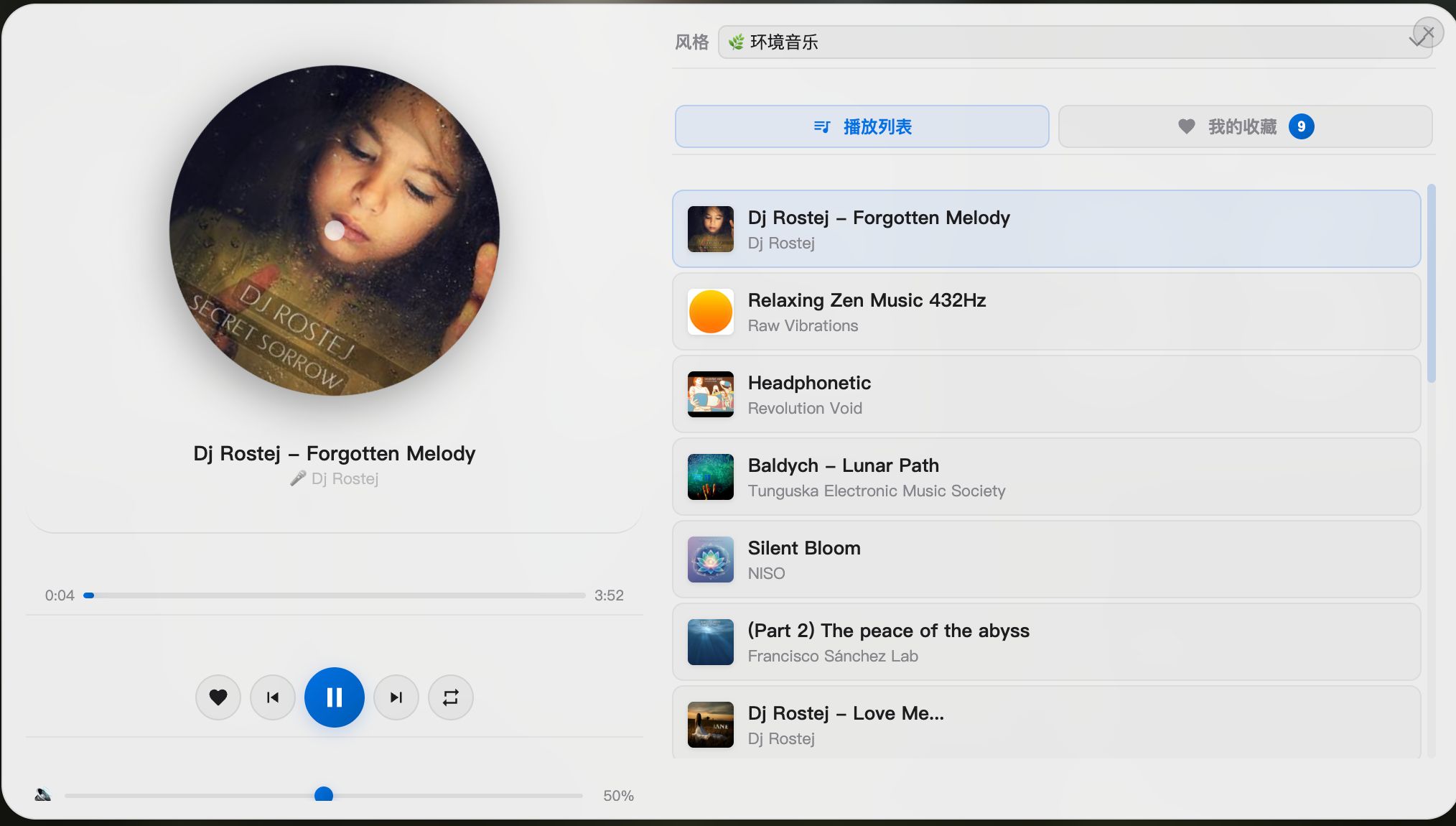
BGM Music Player

Tick-Tock Clock music player and learning features

Auto-scans music files (MP3, WAV, OGG, M4A, FLAC, AAC), with play/pause, previous/next, loop mode, volume and progress control in a collapsible floating panel.

🗣️

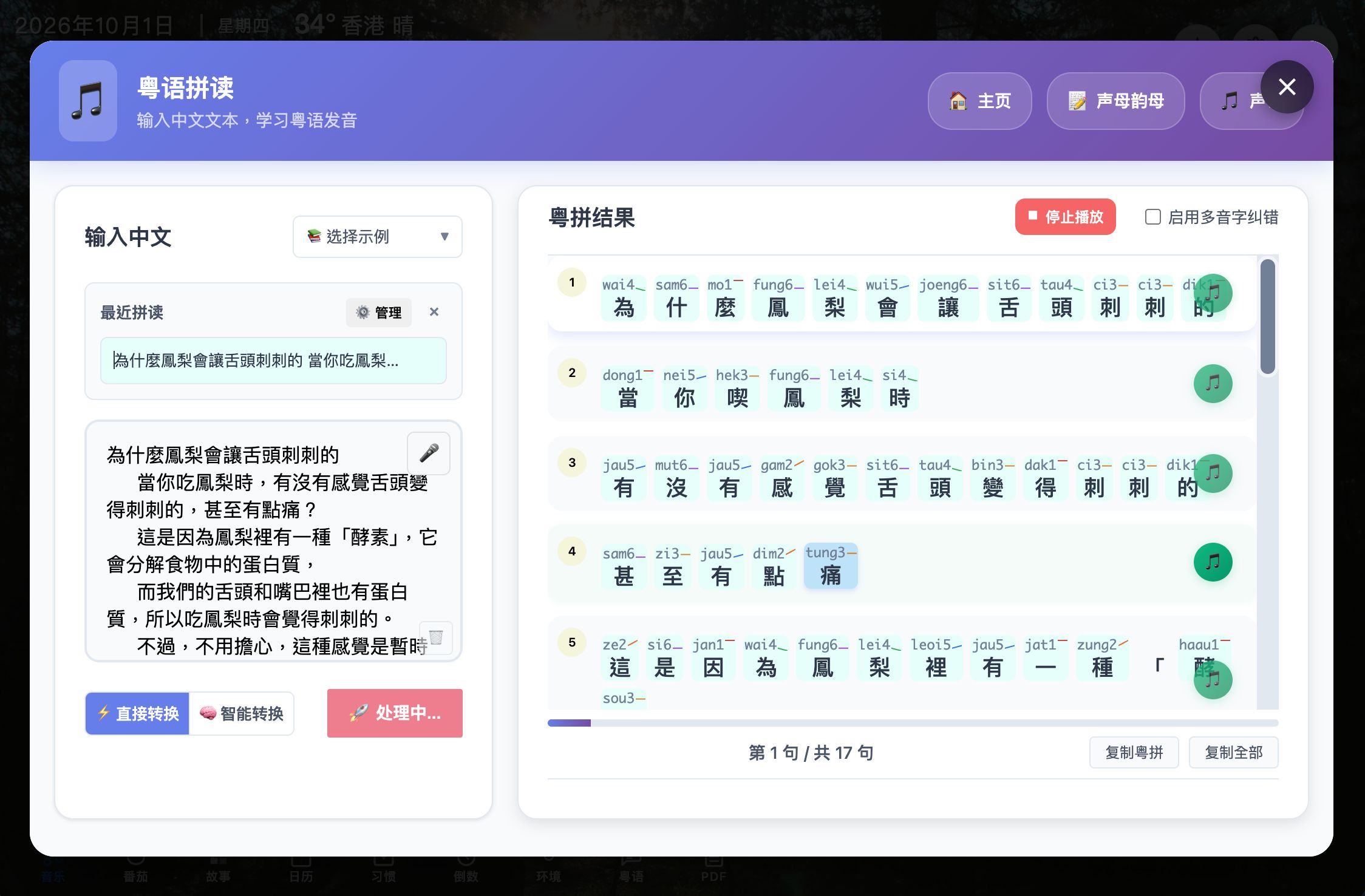
Cantonese Pronunciation

Tick-Tock Clock settings and widgets

An embedded Cantonese spelling helper that makes practicing pronunciation part of the daily routine.

📖

PDF Reader

A full reader powered by Mozilla pdf.js — with highlighting, annotation, TTS reading, focus mode and split-screen for distraction-free study.

Technical Approach

Tick-Tock Clock is a dependency-light web app built with plain HTML5, CSS3 and Vanilla JavaScript. It leans on the Canvas API for animations and LocalStorage for persistence — every setting and every day of study data survives a refresh.

Development was AI-assisted from the start: the initial version was drafted with AI help, then iterated with hand-picked open licenses. A flip-clock library powers the signature animation, while music and image assets come from free sources to keep the server footprint small. The same page is wrapped in a WebView so it also runs as an Android app, always in sync with the live site.

⚙️

AI-Assisted Development

The first working version was generated with AI support, then refined feature-by-feature based on real feedback from daily use.

🧩

Plugin Selection

A pre-built flip-clock library was chosen over a custom rework after the first animation attempt didn't hold up — the fastest way to a polished result.

🆓

Free Resources

Music and image assets come from free libraries — a deliberate choice to respect the limited server space behind the live deployment.

📱

WebView App

The same page is packaged as an Android WebView app. Updates to the website apply instantly in the app with no re-release needed.

Reflection

[CantoGo](./cantogo.html) taught me that code can help my family. Tick-Tock Clock taught me something harder: a tool your family uses every day is never really “done” — and that’s not a failure of planning. It’s how real needs work.

When my sister first asked for a clock, I treated it like a normal project: gather the requirements, build to spec, ship, close the ticket. But her needs didn’t arrive in one message. They surfaced one by one, while she actually used the thing — “can the timer behave differently during exam week?”, “this button feels wrong at 7 a.m.”, “could it also do this?” At first I resisted. Every new request felt like a hole in a plan I had already finished. I wanted the requirements to hold still so I could declare the project complete.

What I understand now is that those changes weren’t scope creep. They were the requirements maturing in front of me. A person can’t fully specify what they need from a daily companion until they’ve lived with a version of it. Each “actually, can it also…” was not an interruption of the work — it was the real work. My sister wasn’t moving the goalposts; she was showing me where the goalposts actually were.

So I stopped treating change as an enemy of completion. I started to expect it, plan around it, and even welcome it. A request that arrives after shipping is not a bug in the process; it’s feedback from reality. The shift was simple and difficult at the same time: from “please stop changing things” to “tell me what’s missing.” Once I made that turn, the project stopped feeling like a backlog I was failing to close, and started feeling like a conversation I was lucky to be part of.

This is the lesson I’m carrying forward: good family tools are not designed once and delivered. They grow through use, revision, and a willingness to be wrong early. Embracing requirement change doesn’t mean having no plan — it means holding the plan loosely enough that the person you’re building for can actually reach it.
FROM RESISTING TO WELCOMING How my sister’s evolving requests changed what I think a requirement is. BEFORE · RESISTING CHANGE “Please hold still” Requirements treated as fixed New requests felt like holes in the plan Ship = done Completion as the goal Change as interruption SHIFT AFTER · WELCOMING CHANGE “What’s still missing?” Requirements mature through use Feedback as direction, not disruption Use = learn Tools grow rather than ship-once Change as the real work